Black Friday Website Checklist: Preparing Your eCommerce Store
Madeleine EvansDigital Marketing Consultant
Updated 12 min read

One of the busiest days of the year for eCommerce stores is just around the corner. And no, we’re not talking about Christmas.
Black Friday 2026 is set to be BIGGER than ever, especially with the planned use of AI among shoppers doubling since last year from 19% to 34%, according to YouGov's Great Britain BFCM 2026 report.
Most businesses have likely already spent time planning months in advance. But if you’ve already hit a brick wall searching for “the best black friday website tips” and unsure what to do next, fear not.
At Pixel, we’ve helped a plethora of businesses, from independent shops to large wholesale operations, prepare their eCommerce websites for the rush ahead.
To help, we’ve put together a comprehensive Black Friday checklist of 8 important things to review and put in place, from optimising site speed to data protection.
By the end, you’ll be well-equipped to handle the increased demand and deliver a smooth shopping experience for your customers.
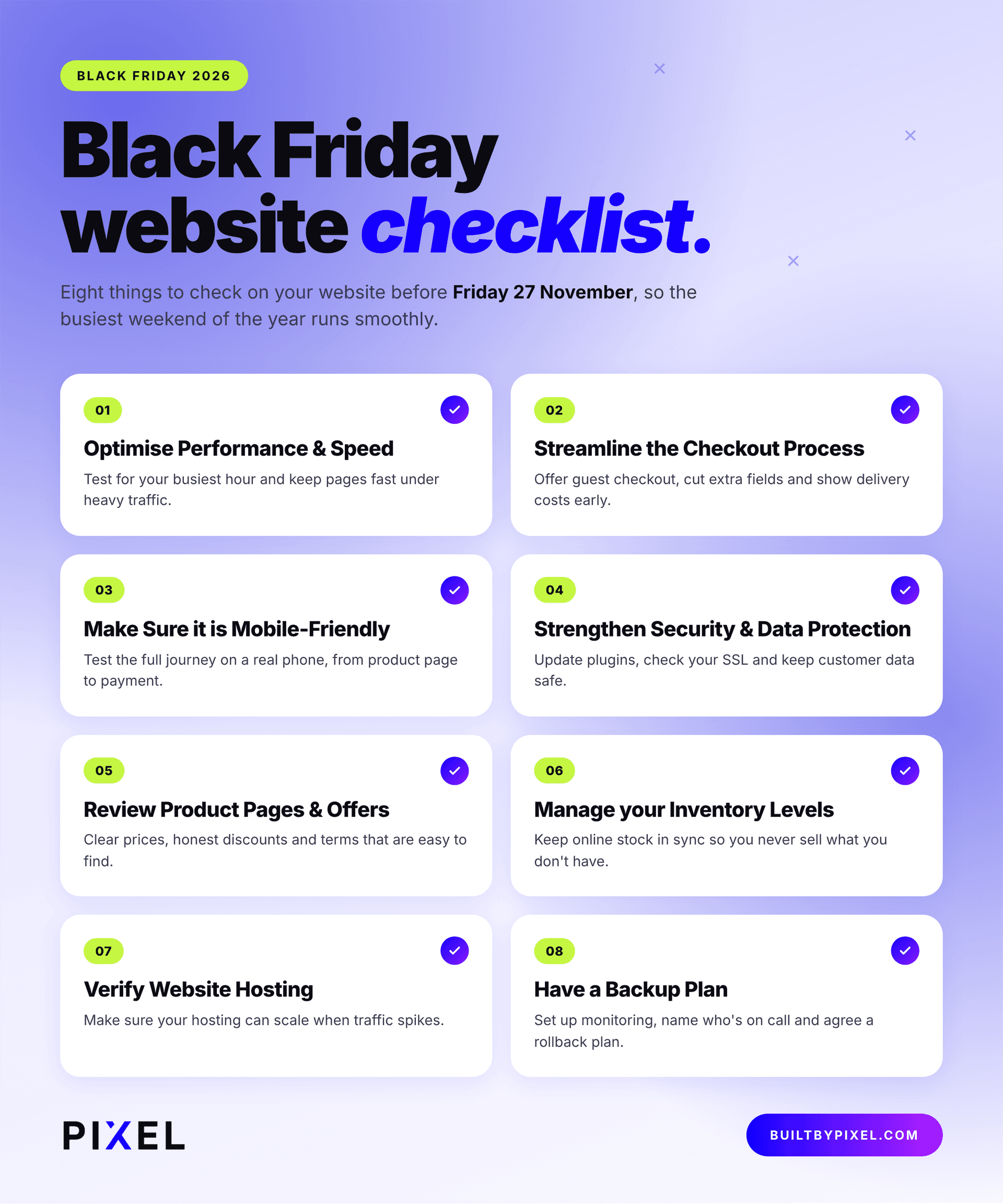
Our Black Friday eCommerce Checklist
1. Optimise Performance & Speed
Is your website fast enough? Speed has a huge impact on your bottom line, as shoppers expect a quick responsive user experience. This is especially true when searching online for the latest Black Friday deals.
If your site takes longer than 3 seconds to load, it is estimated that 53% of mobile visits are likely to be abandoned for a competitor. The good news is that even the smallest improvements can make a positive difference to your website’s speed.
Performance & Speed Checks:
- Page loading speeds: Use tools such as Google PageSpeed Insights or GTmetrix to identify slow-loading pages and performance issues.
- Image optimisation: Large, uncompressed product images significantly affect loading times. Compress images, use modern formats such as WebP and make sure they're appropriately sized.
- Code and scripts: Review unnecessary plugins, third-party scripts, JavaScript and CSS that could be affecting performance. Remove anything that's no longer needed, including plugins.
- Caching: Make sure browser caching and server-side caching are configured correctly to reduce loading times and server requests.
- Core Web Vitals: Check your Largest Contentful Paint (LCP), Interaction to Next Paint (INP) and Cumulative Layout Shift (CLS) to identify issues affecting the user experience.
It's also worth load testing your website under different conditions to see how it performs (or breaks) when multiple people are browsing and buying at the same time.
2. Streamline the Checkout Process
You’ve attracted a customer, they’ve found a product and now they’re ready to buy! The last thing you want is an abandoned cart, often caused by complicated or slow checkout processes.
This is the most common challenge for eCommerce businesses, and should be reviewed from beginning to end to avoid any unnecessary friction. A survey report by IMRG and Ecommpay found that switching from a multi-page checkout flow to a single-page one can increase conversion rates by 5%, highlighting the effect a smoother checkout experience can have towards sales.
Checkout Process Checks:
- Reduce the number of steps: Avoid lengthy forms and use address lookups, autofill and clear error messages to make entering information and processing orders quicker and easier.
- Offer guest checkout: Don't force customers to create an account before purchasing. Give them the option to check out as a guest, with the opportunity to register afterwards.
- Provide multiple payment options: Make sure customers can pay using their preferred methods, including debit and credit cards, PayPal, Apple Pay, Google Pay and other relevant providers.
- Code and scripts: Review unnecessary plugins, third-party scripts, JavaScript and CSS that could be affecting performance. Remove anything that's no longer needed, including plugins.
- Be transparent about costs: Clearly display delivery charges, taxes, as well as any additional fees before customers reach the final payment stage.
- Test, test, test: Complete test purchases across different devices and payment methods to identify errors, broken links or drop-off points across the entire journey.
3. Make Sure it is Mobile-Friendly
Next on our Black Friday eCommerce checklist is mobile-friendliness. Whether customers are at home, at work, or on the move, they need to be able to buy what they are looking for from their smartphone. Last year, mobile traffic accounted for 61.5% of total UK holiday online spending, so it’s non-negotiable.
In the lead up towards the big day, paying attention to how content is displayed and whether navigation is intuitive or clunky can be very useful when it comes to reaching more shoppers, keeping them engaged and making the most of increased mobile traffic.
Mobile-Optimisation Checks:
- Navigation and menus: Ensure menus are easy to open, category links are accessible and customers can quickly find products.
- Product displays: Check that product images, descriptions, prices and promos are clearly presented without excessive scrolling or zooming.
- Buttons and calls to action: Buttons such as 'Add to Basket' and 'Buy Now' must be prominent, appropriately sized and easy to tap.
- Mobile checkout: Test the entire checkout journey on mobile, including form fields, payment options, and order confirmation screens.
- Pop-ups and banners: Check that Black Friday pop-ups, discount banners and cookie notices don't obstruct important content.
- Loading speeds: Mobile users may have slower or less reliable connections, so optimise images, scripts, and page elements accordingly.
4. Strengthen Security & Data Protection
Black Friday is a favourable day not only for retailers and their customers, but also cybercriminals. The increase in online transactions and larger volumes of customer information gives them the perfect opportunity to strike when IT and service teams have less time to inspect suspicious activity.
According to the National Cyber Security Centre (NCSC), around £11.8 million was lost to online shopping fraud between 1 November 2024 and 31 January 2025. With AI enabling criminals to create hyper-realistic scams, unprotected eCommerce websites are increasingly vulnerable to phishing and DDoS attacks. Don’t let that be you!
Data Protection & Security Checks:
- SSL certificates: Verify that your SSL certificate is valid and configured correctly, ensuring information transferred between your website and customers is encrypted.
- Software and plugin updates: Make sure your eCommerce platform, CMS, themes, plugins, and extensions are running supported versions with the latest security patches.
- Payment security: Use reputable payment gateways and ensure card payments are handled securely, meeting relevant PCI DSS requirements.
- Access controls: Review who has access to your website's backend, hosting account and other systems. Remove outdated accounts, restrict permissions, enforce strong passwords, and multi-factor authentication.
- Data protection: Examine how customer information is collected, stored and processed. Make sure your processes comply with relevant data protection legislation, including UK GDPR where applicable.
It's also important to review your privacy policy, cookie notices and data retention practices, making sure they accurately reflect how your business operates.
5. Review Product Pages & Offers
Your product pages turn visitors into buyers. During Black Friday, customers will be evaluating deals across multiple retailers, so your product information and offers need to be clear, compelling and easy for them to discover.
Start by reviewing your bestsellers and any items included in your Black Friday 2026 promotions. Make sure everything is accurate, up to date, and presented in a way that encourages customers to purchase. It’s also worth creating dedicated Black Friday deal pages, as these are more likely to be indexed by search engines and capture initial comparison traffic.
Product Page Checks:
- Product descriptions and imagery: Make sure product descriptions are informative and highlight the key features. Use high-quality images that show the product from all angles too, including lifestyle images and videos.
- Pricing and discounts: Check that original prices, discounted prices and savings are displayed correctly. Ensure any advertised reductions comply with applicable pricing regulations.
- Promotional messaging: Clearly communicate discount percentages, voucher codes, bundle deals and any restrictions or exclusions.
- Calls to action: Make sure 'Add to Basket', 'Buy Now' and other purchasing buttons are prominent and working correctly.
- Product reviews: Display genuine customer reviews and ratings to help shoppers build trust and confidence in your products.
6. Manage your Inventory Levels
What’s the point of generating lots of traffic if you don’t have the supply to meet demand? Equally, overestimating demand can leave you with an excess amount of stock and unnecessary costs. That’s why inventory management is essential for retailers, whereby campaigns are expected to stretch beyond the day itself, according to Found.
Evaluating which products to keep in stock (and at what volume), alongside storage space, fees, and product updates all have to be factored in. To start, analyse previous sales data and current stock levels to determine how much inventory you’ll need as early as possible, especially if you rely on third-parties.
Inventory Level Checks:
- Stock levels: Check your current inventory and identify products that may sell out quickly. Prioritise bestsellers and products included in major promotions.
- Demand forecasting: Use historical sales figures, website analytics and market trends to estimate demand and plan stock accordingly.
- Supplier arrangements: Confirm stock availability, delivery schedules, and lead times with suppliers. Make sure they can accommodate any increase in orders or replenishment requirements.
- Inventory tracking: Ensure your eCommerce platform accurately reflects available stock and updates automatically as orders are placed.
- Low-stock notifications: Set up alerts to notify your team when products reach predefined stock thresholds, allowing you to respond before items sell out.
7. Verify Website Hosting
One of the other priorities on our Black Friday checklist is website hosting. A UK & Ireland Data Hosting Report revealed that 19% of respondents had their own on-premise server, highlighting the importance of data ownership. However, huge spikes in traffic can strain even the most well-optimised sites, resulting in slow loading times, server errors, or in the worst case scenario, a crash!
To ensure your website performs well under pressure for Black Friday, speak to your hosting provider and review your Content Delivery Networks (CDNs). By doing so, eCommerce businesses can identify server limitations early before they become an issue, and see whether they can accommodate the expected influx of visitors and transactions.
Website Hosting Checks:
- Server capacity: Check whether your hosting environment has sufficient CPU, RAM and other resources to handle increased traffic and site activity.
- Bandwidth and traffic limits: Review any bandwidth restrictions, visitor limits or fair usage policies that could affect your website.
- Uptime and reliability: Review your hosting provider's uptime guarantees and service-level agreements (SLAs).
- Content Delivery Network (CDN): Consider using a CDN to distribute website content across multiple servers, helping pages load faster for customers in different locations.
- Server configuration: Make sure your hosting environment is configured to support your eCommerce platform and is running efficiently.
8. Have a Backup Plan
Things can still go wrong even if you’ve thoroughly prepared. Unexpected technical issues, payment gateways failing, and security incidents can all happen in the blink of an eye. When every minute of downtime could mean lost revenue, having a plan B, C, and D in place is vital.
88% of UK businesses have some form of backup, with only a quarter having a formal incident response plan, according to the government’s Cyber Security Breaches Survey 2025/26. Rather than waiting for something to break, make sure you have clear contingency measures that outline how your business will respond to different problems.
Backup Checks:
- Regular website backups: Make sure automatic backups are running and that they cover your website files, databases, product information, customer data, etc.
- Off-site backup storage: Keep copies of backups in a separate, secure location rather than relying solely on the same server that hosts your website.
- Backup restoration testing: Don't just assume your backups work. Test the restoration process to ensure your website can be recovered quickly.
- Communication plans: Make sure relevant team members know who to contact, how to escalate issues and how customers will be kept informed if services are disrupted.
- Alternative payment arrangements: Discover what options are available if your main payment gateway experiences problems, while making sure any alternative is secure and properly tested.
Your website isn't something you can build, launch and leave to run indefinitely. Regular maintenance helps keep your eCommerce platform, plugins, integrations and other software components secure and performing as they should.
Working with a dedicated website support and maintenance team means you have access to technical expertise whenever you need it. At Pixel, we can monitor your website, identify potential problems, carry out updates, investigate errors, and rapidly respond to any technical faults, with a dedicated account manager to handle every request.
Get Ready for Black Friday 2026 with Pixel!
And there you have it! We hope this Black Friday checklist has been useful. These might seem obvious things to consider, but they can easily slip down the priority list when you're caught up in the day-to-day running of your business.
Getting ahead of potential issues is key, whether that's improving performance, checking hosting, strengthening security or managing stock and payments. Don't lose sight of the customer experience either; make every step of the journey as simple and seamless as possible.
With over sixteen years of experience, we understand that successful eCommerce websites need more than just good design. They need to bring together the right technology, functionality, and user experience to support your business and its customers.
Don't leave it until the last minute! Talk to Pixel and let’s help you get ready for the busiest time of the year.
Black Friday Checklist FAQs
When is Black Friday?
Black Friday 2026 falls on Friday, 27th November. Cyber Monday follows on Monday, 30th November. Although it originated in America, it has become a major global shopping event, with UK retailers offering discounts on everything from electronics and fashion to homeware and beauty products.
Why Does Black Friday Matter for eCommerce?
Black Friday is one of the biggest sales opportunities of the year for retailers. It attracts shoppers far and wide looking for huge discounts and special offers. For eCommerce businesses, it’s a chance to clear seasonal stock, turn new visitors into repeat customers, and boost their brand visibility through a positive shopping experience and effective marketing campaigns.
When should I start preparing for Black Friday?
Ideally, start preparing at least 2–3 months in advance, giving you enough time to review your website, optimise performance, check stock levels and organise your promotions. Technical improvements, hosting upgrades and software updates should never be left until the last minute, as they need time to implement and test properly.